Quick weekly labour-cost estimate
Change the four inputs. This is a planning estimate, not a payroll calculation.
Employer National Insurance, pension, holiday pay, overtime, different rates and sector rules can change the real total. Use your own payroll assumptions.
2-minute pre-listing comprehension test
Staff Rota & Shift Planner with Labour Costs
If you currently build weekly rotas for roughly 8–20 staff in hospitality or retail, look at the three images below before reading the rest of this guide. There is no signup, download or purchase.
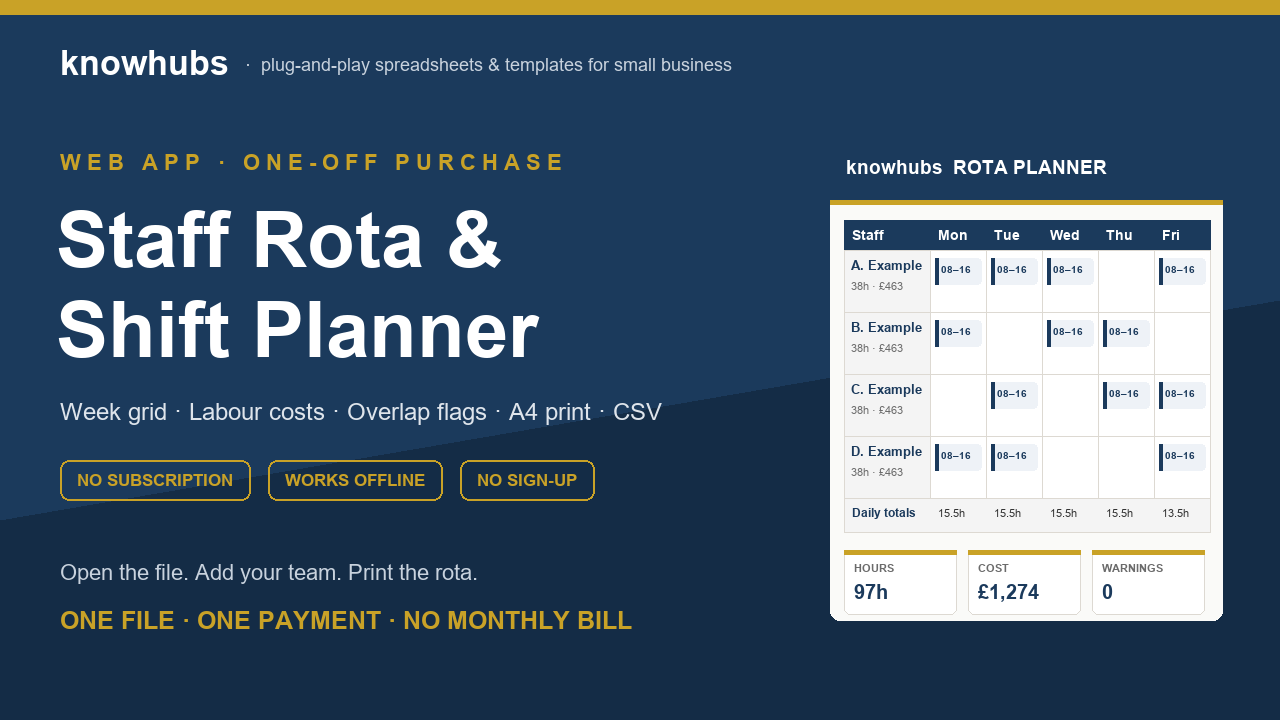
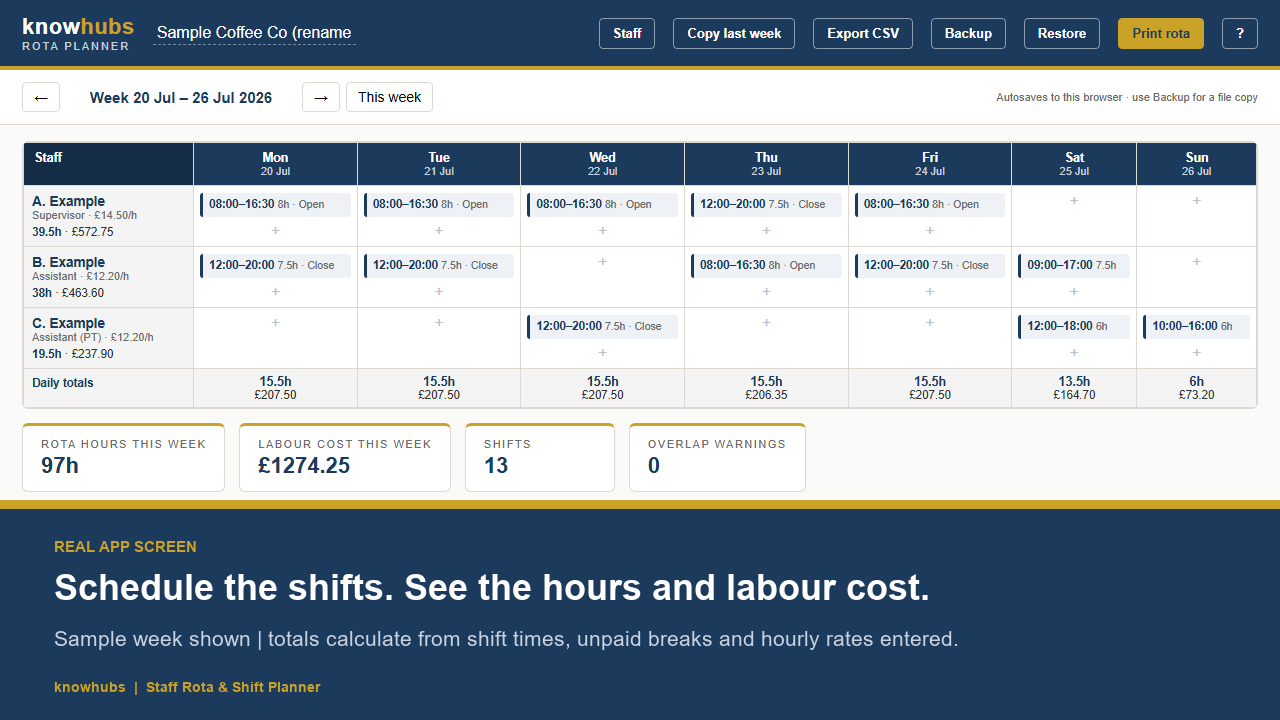
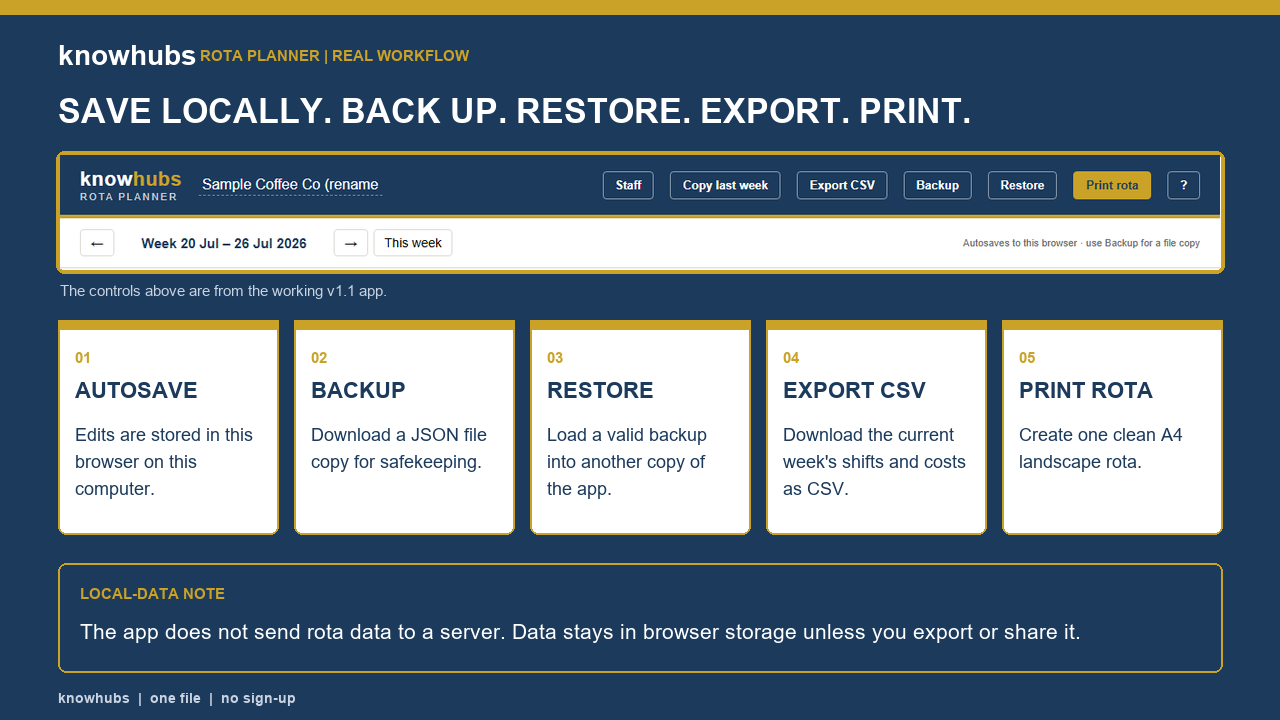
Answer without overthinking it
- What is this?
- Who is it for?
- What do you receive?
- What does it replace in your current process?
- Would this fit your current rota process, and why?
Reply where you found this link with your sector and approximate team size. Five genuine manager responses decide whether the listing is clear enough to publish.
Why the rota needs a cost view
A rota can look sensible by eye while quietly adding expensive overlap on a slow day. The opposite can also happen: cutting a shift saves wages but leaves one person handling a rush alone. Cost visibility is an input to the decision, not the whole decision.
The calculation
Start with each shift’s paid hours: finish time minus start time minus any unpaid break. Multiply the paid hours by the employee’s hourly rate. Then add an employer on-cost allowance that reflects your own payroll assumptions.
- Calculate paid hours for every shift.
- Apply the correct hourly rate to each employee.
- Check overtime, premiums and different role rates.
- Add an allowance for employer costs and paid leave.
- Compare daily coverage and cost before publishing.
Three checks before you publish
Coverage
Put the right skills on the floor at the right time. A low-cost rota that cannot safely or practically run the operation is not efficient.
Change control
Decide who owns the current version and how changes are communicated. A spreadsheet in three inboxes is not a single source of truth.
Working-time flags
Treat flags as prompts for a competent check, not automatic legal conclusions. Working-time rules can involve reference periods, opt-outs and sector-specific exceptions.
Staff Rota & Shift Planner · currently in buyer testing
A focused rota planner with labour-cost visibility, CSV, backup, restore and print. It is not being sold until its buyer comprehension gate passes.
Limit: the calculator is deliberately simplified. Use actual employee rates, payroll treatment, pension, National Insurance, holiday and overtime rules when making a real decision.