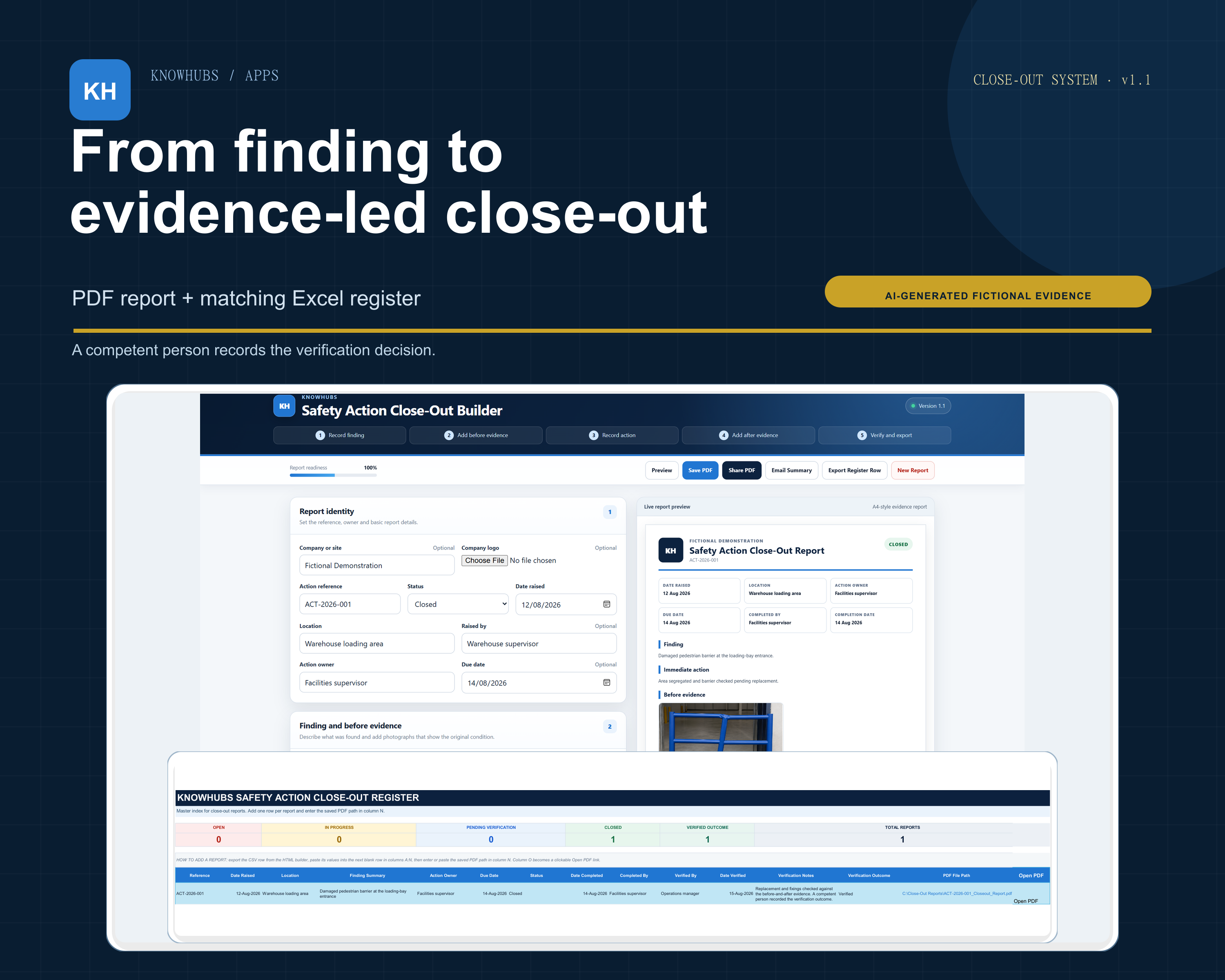
The decision stays with a competent person. The system records information supplied by the user. It does not inspect the work, decide whether an action is safe or adequate, certify compliance or replace competent review.
The problem it solves
An action can look finished while its photographs, completion details, verification decision and final record sit in different places. This product gives one existing finding a clear manual route from evidence to a saved report and a searchable register entry.
One connected close-out route
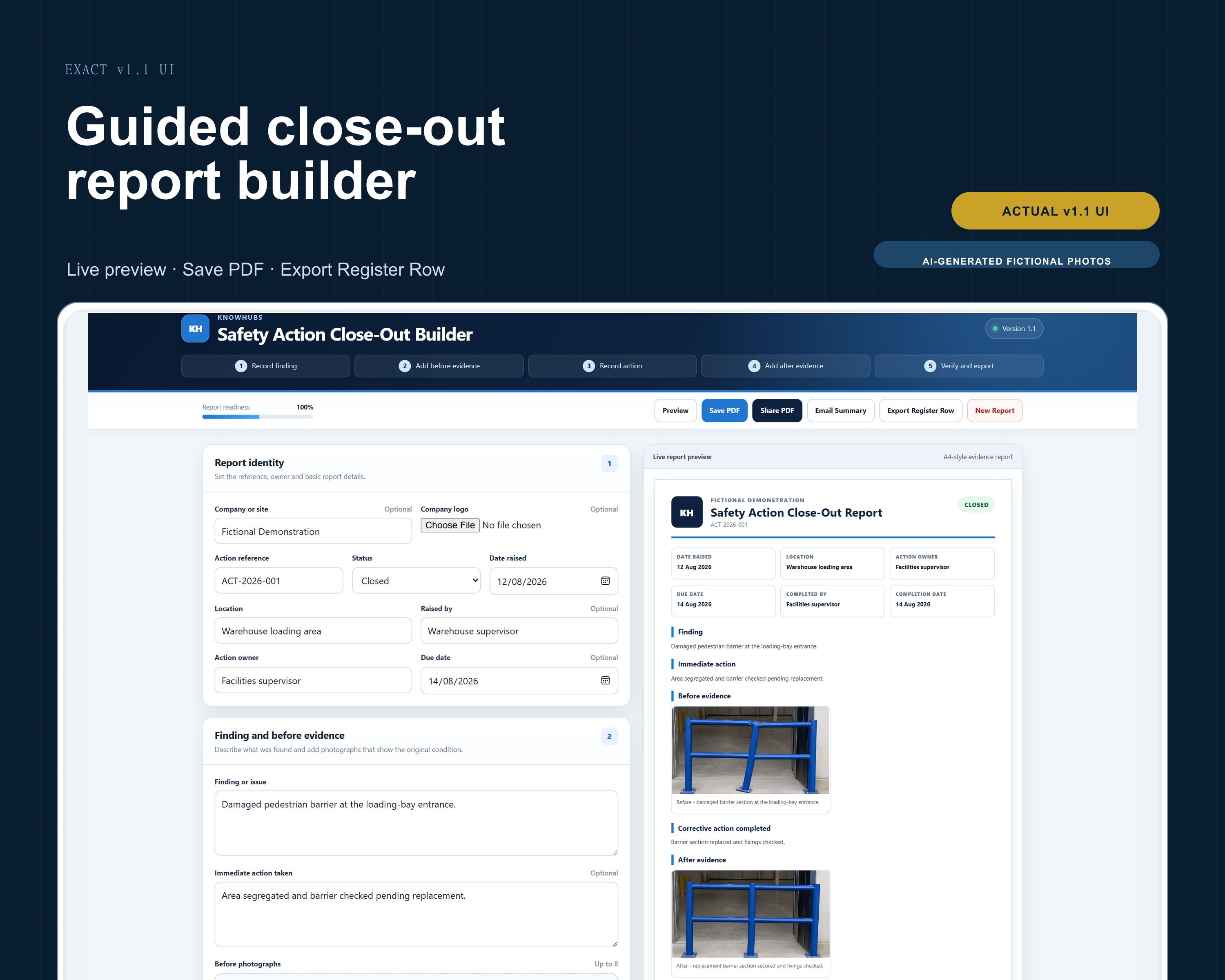
- Start with an existing finding. Record its reference, location, owner, due date and finding details.
- Add the evidence. Include up to eight before photographs and eight after photographs.
- Record the corrective action. Capture what changed and when it was completed.
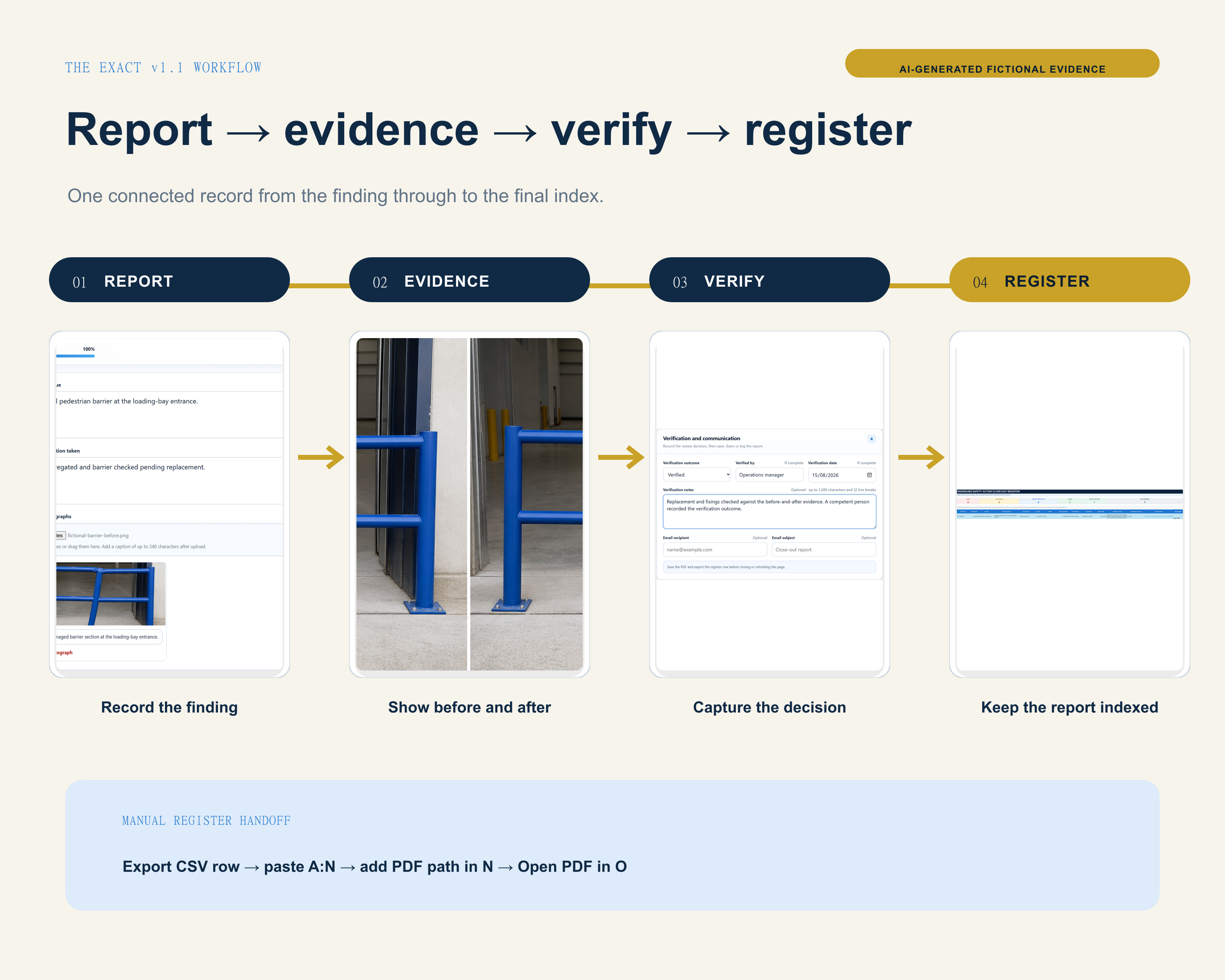
- Keep completion separate from verification. A competent person records Pending, Verified, Further action required or Not required.
- Save and index the record. Export the PDF and matching 14-field CSV row, then paste A2:N2 into the next blank Excel register row.
Evidence-rich PDF
Save one formatted report containing the finding, corrective action, before-and-after evidence and verification outcome.
Excel register row
Export the matching CSV row, paste it into the supplied register and add the saved PDF path so the record can be opened from column O.
What the download contains
- HTML close-out report builder
- Excel master register
- Editable Word user guide
- Ready-to-read PDF user guide
- Quick-start README with licence, limits and support boundaries
A good fit for
- Operations managers, safety coordinators and facilities leads
- Existing findings from inspections, internal audits, facilities checks or safety reports
- Teams that need completion and competent-person verification recorded separately
Important manual limits
- The builder and Excel register do not update each other automatically.
- Unfinished in-tab work is not retained after closing or refreshing the page.
- If a saved PDF moves, its Excel path must be updated.
- No universal browser, device, operating-system or spreadsheet compatibility is promised.
Licence and support boundary
One purchase licenses version 1.1 to one legal organisation at one operating site. Support through Etsy Messages covers access, opening the supplied files, the documented workflow and confirmed v1.1 defects. It does not include evidence review, safety decisions, legal or compliance advice, bespoke setup, integrations, training, audit approval or certification.
Privacy inside the builder: the downloaded HTML sends no report text or photographs to Knowhubs and uses no accounts or analytics. Buyers remain responsible for permission, access control, retention and lawful handling of workplace or personal information.
Instant digital download
Turn one existing finding into a record you can follow.
Five buyer files. Version 1.1. £12 for UK buyers on Etsy.
Get the Safety Action Close-Out System on Etsy